 Ultron AI
Record and ask
Record the class.
Get the notes.
A lecture recorder for iPhone with a live transcript. Record a lecture, a class or a meeting and watch it written down as it’s said, right on your device. Then get a summary with the time of each point, make flashcards, quiz yourself, and ask about it.
Recording · 47:12
 Recording and the transcript are free.

How it works
Press record.
That’s the hard part.
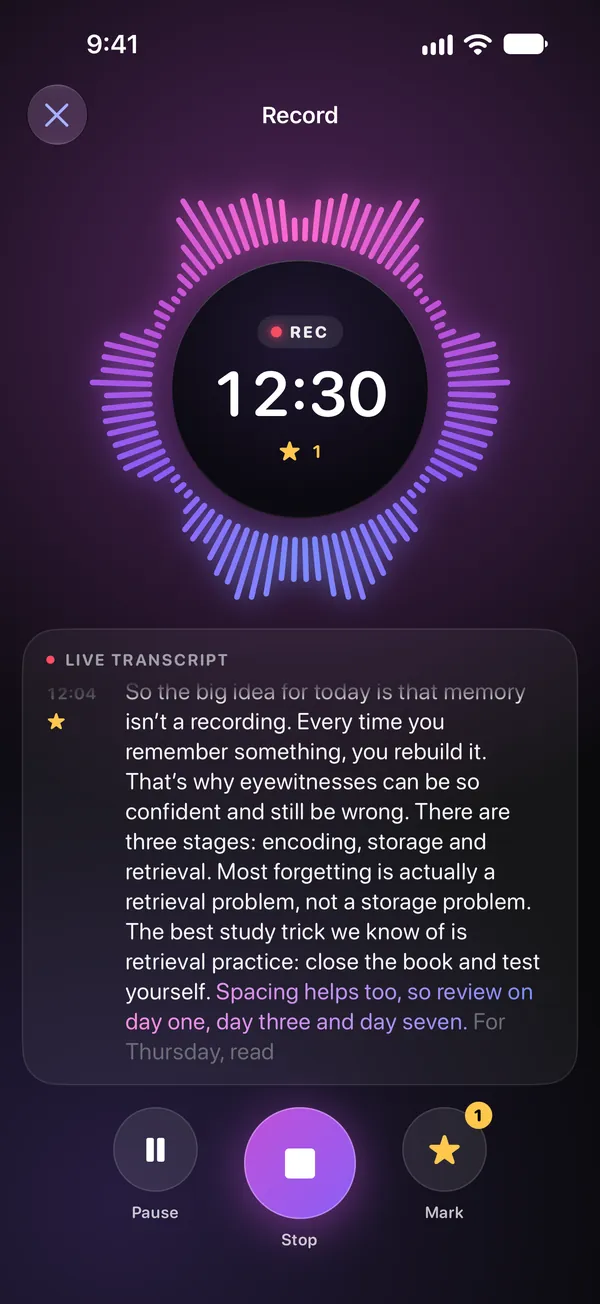
The transcript is written on your iPhone as the words are said. The audio never leaves it.
Record, or open a file
Tap Record on the home screen, or open a voice memo or an audio file. Mark a moment with a star while it runs.
Read along
The words appear as they’re spoken, with the time. Lock the screen; the timer stays in a Live Activity.
Summary, flashcards, quiz
With Premium: the main points in order, each with the moment it was said; flashcards from the key points; a quiz; the to-dos. Then ask anything about it.
After the lecture
Flashcards
from your own class.
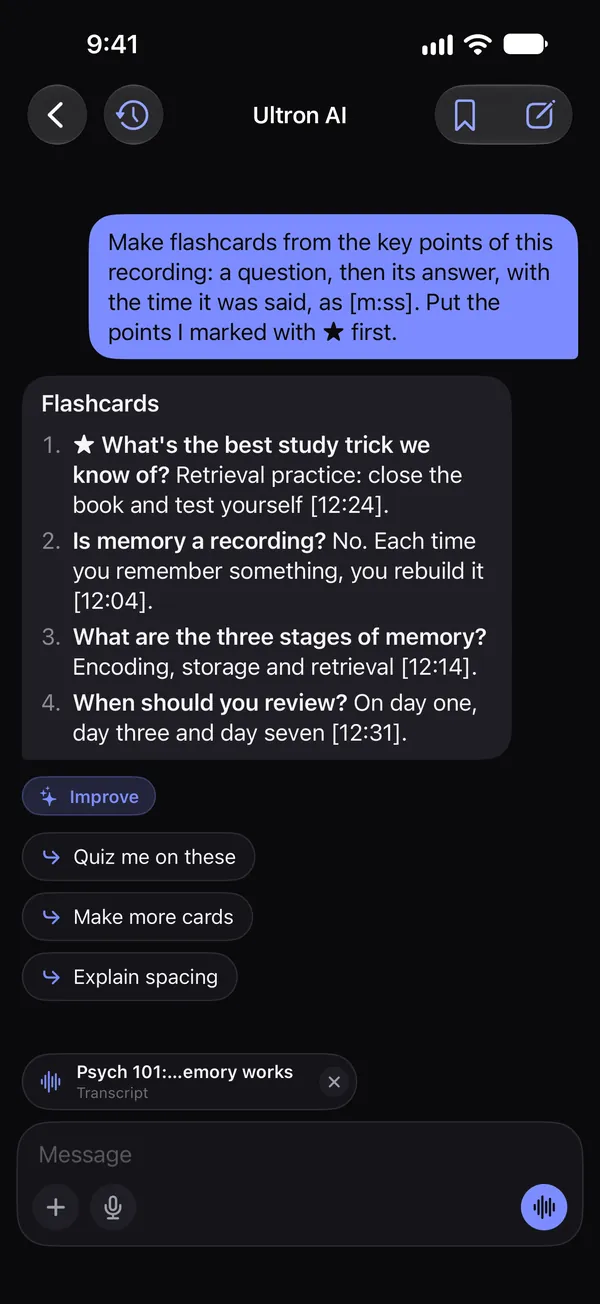
Each card is a question and its answer from what was said, with the minute to jump back to. The points you starred come first. Export the cards or the summary as a PDF or Markdown, straight into Notes.
- Summary
- Flashcards
- Quiz me
- To-dos
- “What did she say about the exam?”
Flashcards
- What’s the best study trick we know of? Retrieval practice: close the book and test yourself.
- Is memory a recording? No. Each time you remember something, you rebuild it.
Questions
Good to know.
Does the recording leave my iPhone?
No. The audio is kept on your device, in the app’s Library, and is transcribed there by iOS. Only the transcript’s text is sent, with Premium, when you ask for a summary or a question, and our server does not store it. The Privacy Policy has the details.
Is it free?
Recording and the live transcript are free, with no account. Summaries, flashcards, quizzes and questions about a recording are part of Ultron AI Premium.
What does it need?
An iPhone or iPad with iOS 26 or later, which has the on-device transcription. Recording keeps going with the screen locked, and the timer stays in a Live Activity.
Which languages does it transcribe?
The languages iOS transcribes on the device, which include English, Spanish, Portuguese, German, French, Italian, Japanese, Korean and Chinese; the list grows with iOS.
Can I use a voice memo or an audio file?
Yes. Open a voice memo, or an audio file from Files, and it is transcribed the same way, then summarized and asked about like a recording made in the app.
Can I export the notes?
Share the summary or the flashcards as a PDF or Markdown, straight into Notes, Files or Mail, and the transcript as text or a PDF. The audio can be shared as a file too.
Record the class.
Get the notes.
Free to download, for iPhone and iPad. Recording needs iOS 26 or later.